View page in desktop
|
Report error
  •   Apple app store icon
  • Google play store icon
Terms of Service
|
Privacy Policy
|
PDPA
|
Site Map
|
Whistleblowing Portal
©2004-2026 Sgcarmart, Singapore. All rights reserved.
  • Home
  • Car Articles
  • features
  • features Listings
  • Features
  • On-board with the new OBU

    24 May 2024

    |

    40,213 views

    We tell you what to expect about the new On-Board Unit (OBU) and share a few handy tips, too!

    The ERP 2.0 is based on Global Navigation Satellite System (GNSS) technology, which allows Land Transport Authority (LTA) to manage congestion without the need for physical gantries. It also provides the option to implement distance-based charging in the future.

    With this move, it will require drivers to change from the previous In-Vehicle Unit (IU) to the new On-Board Unit (OBU).

    However, after spending the past month with the new OBU, we learned that there's nothing to worry about and in fact, there's plenty to look forward to. Here's what you can expect from the new system.
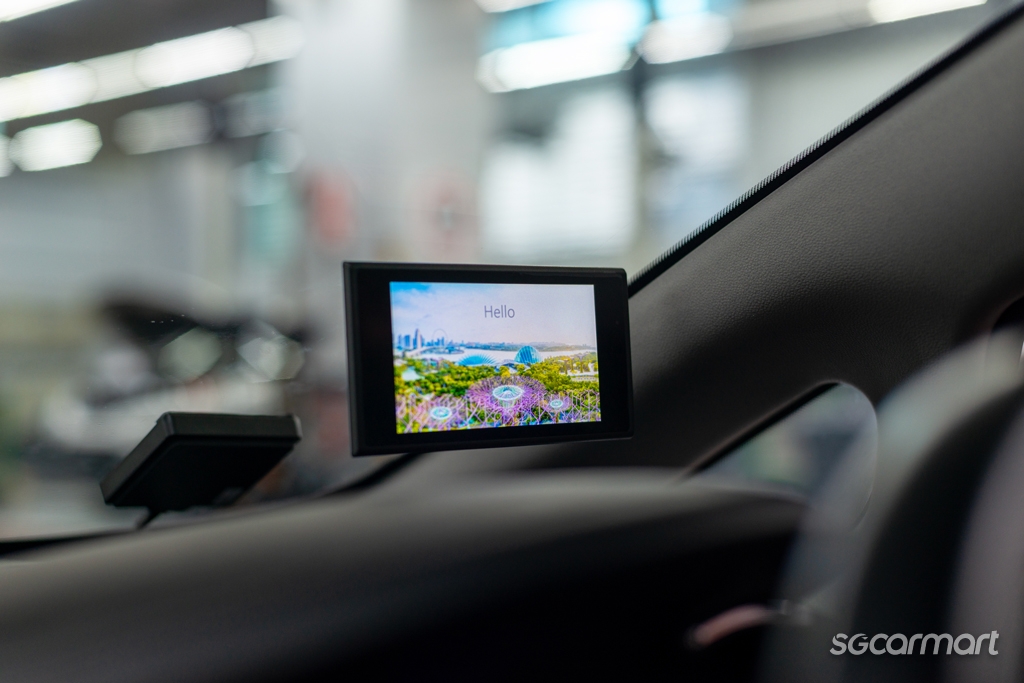
    The OBU starts up with a greeting screen, and you can choose whether or not to display the clock

    Making the appointment

    Car owners will progressively be notified by LTA via mail, email and/or SMS, on their turn to have the new OBU installed in their vehicles. You'll have a two-month window for this, during which the installation fees are waived.

    The time it takes to install the OBU depends on several factors, but mainly, it'll depend on your vehicle's make and model. In our experience, it took just under two hours on a weekday afternoon for Cycle & Carriage to fit the OBU to a Kia Cerato.

    It's best to arrive on time, so that the installer will have enough time to do a proper job and take you through the system once it's done.
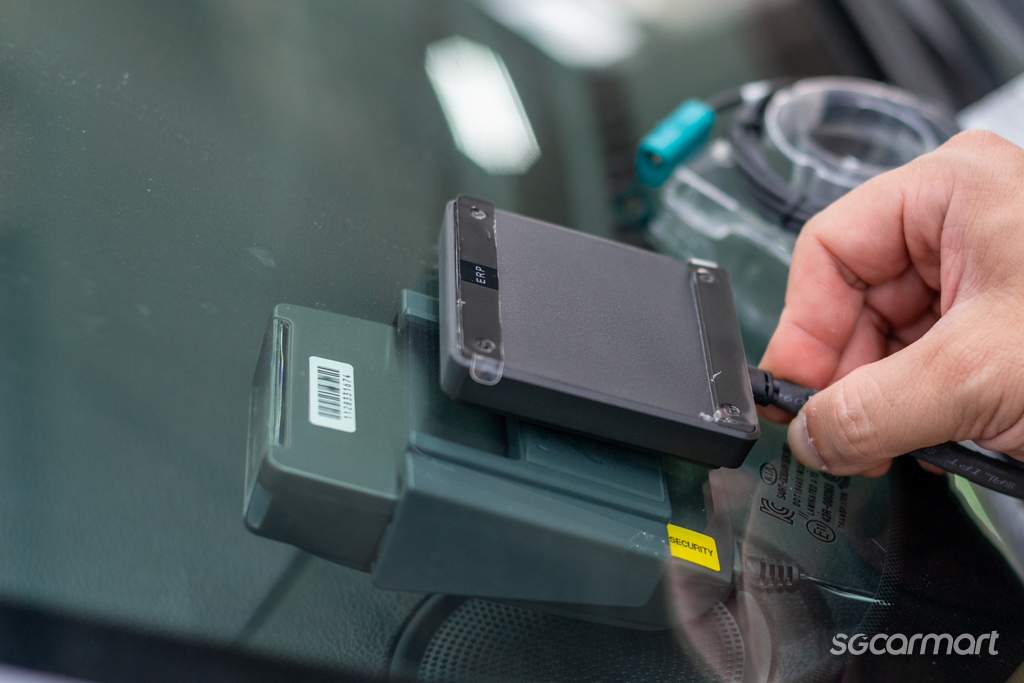
    The antenna will typically be positioned where the IU unit is normally located

    Decisions and positions

    The new OBU consists of three components: An optional touchscreen display, a processing unit and an antenna.

    If you've opted to install the touchscreen, you'll be asked where you'd like it positioned. There is some room for flexibility here, but the placement is limited by the length of the cable.

    Get behind the wheel and adjust the seat to your preferred driving position. From here, you can tell the installer where you want the screen to be placed. Our advice is to put the screen on your right so that it sits just above the dashboard, making it easy to see/read.

    On the other hand, if you choose not to have the touchscreen, you'll need to register your smartphone on Onemotoring Digital Services and pair it to the OBU using Bluetooth. There are currently four apps you can choose from to use as an alternative to the touchscreen display.
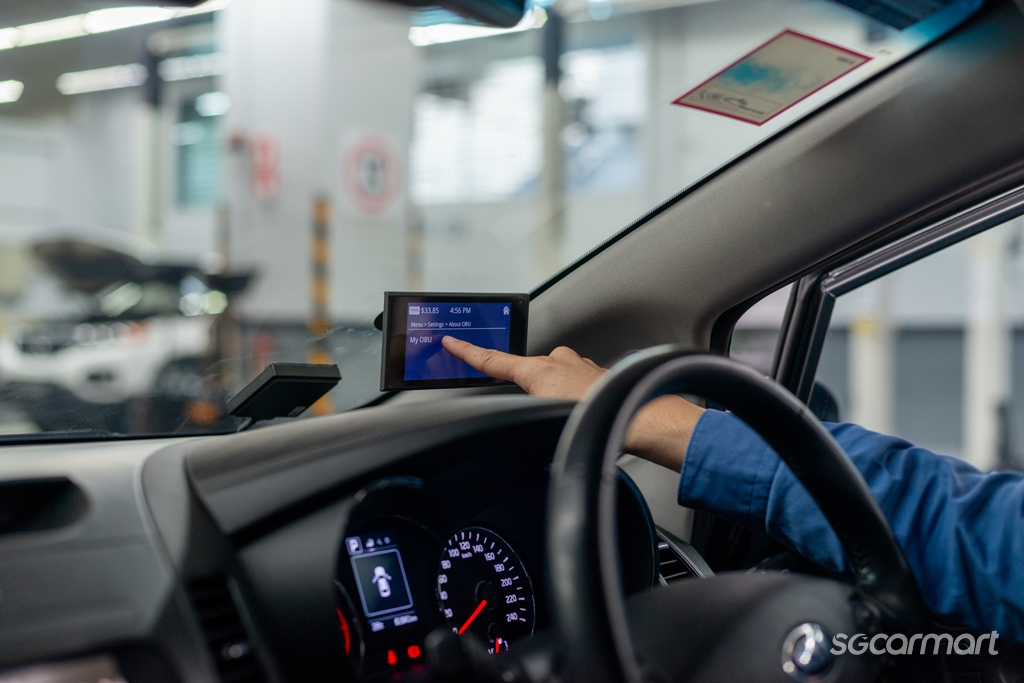
    Tapping on 'My OBU' lets you view your OBU number, which is identical to your previous IU number

    In addition to ERP information such as road pricing alerts and your CEPAS card balance, these apps also offer features such as navigation and real-time traffic information. However, do note that due to security concerns, these apps cannot provide the full functionality of the touchscreen display.

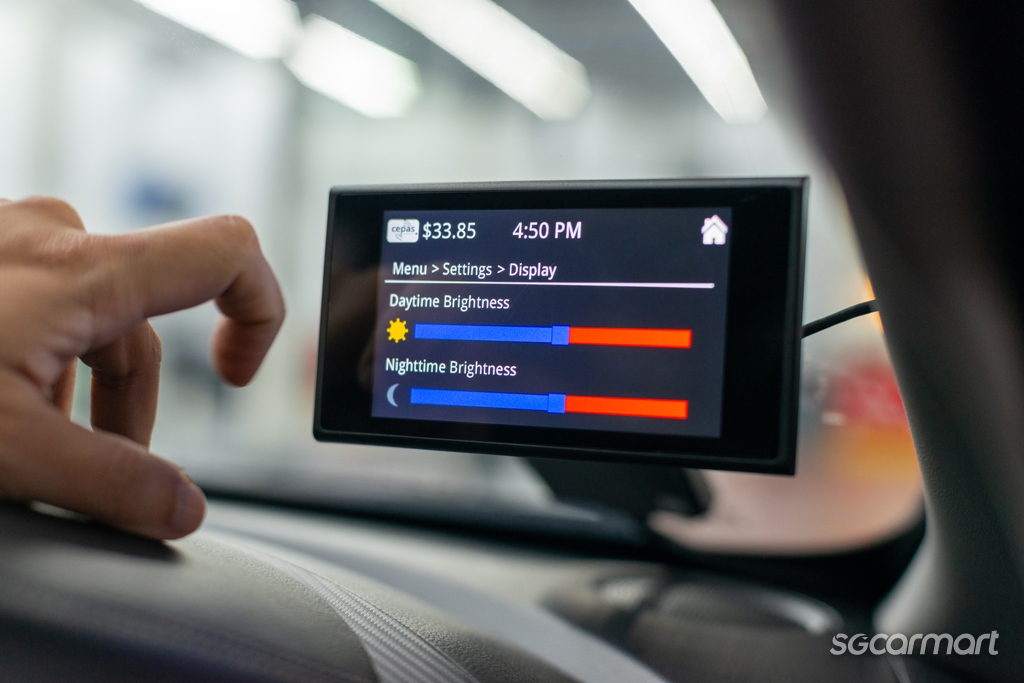
    The touchscreen is also where you can adjust the system's feedback volume as needed. Without it, you'll be asked to set your preferred volume at the point of installation. You will need to bring your vehicle back to the workshop if you want to adjust the volume again.
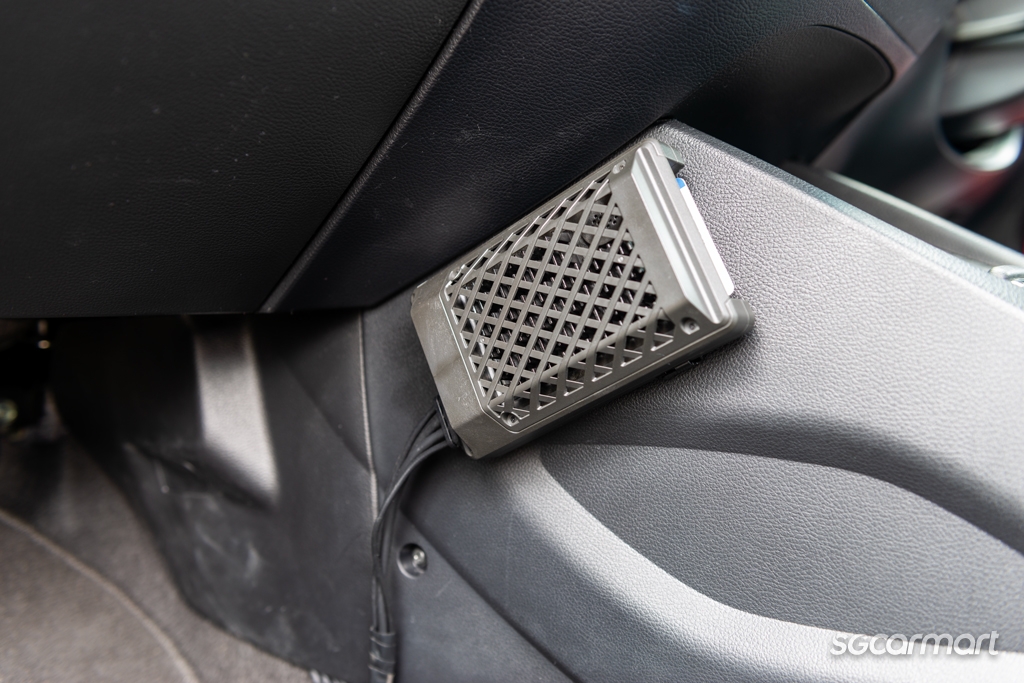
    The processing unit is usually placed on the passenger side, but depending on your car's make and model, it can be located elsewhere, too

    Remember, if you do decide to install the touchscreen later, you'll need to pay a fee, too, so weigh your options carefully.

    Meanwhile, the processing unit is typically placed by the centre console on the front passenger's side. There is some flexibility in its placement, but again, this depends on what is feasible for your vehicle.

    The location of the antenna is quite straightforward, usually at the bottom right of the windscreen.
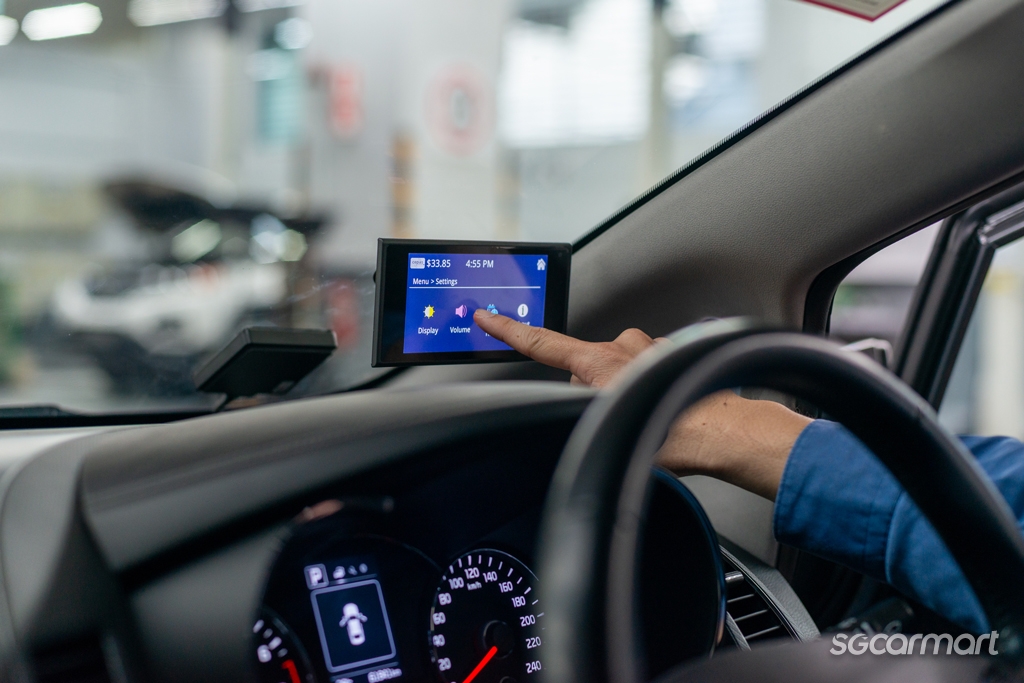
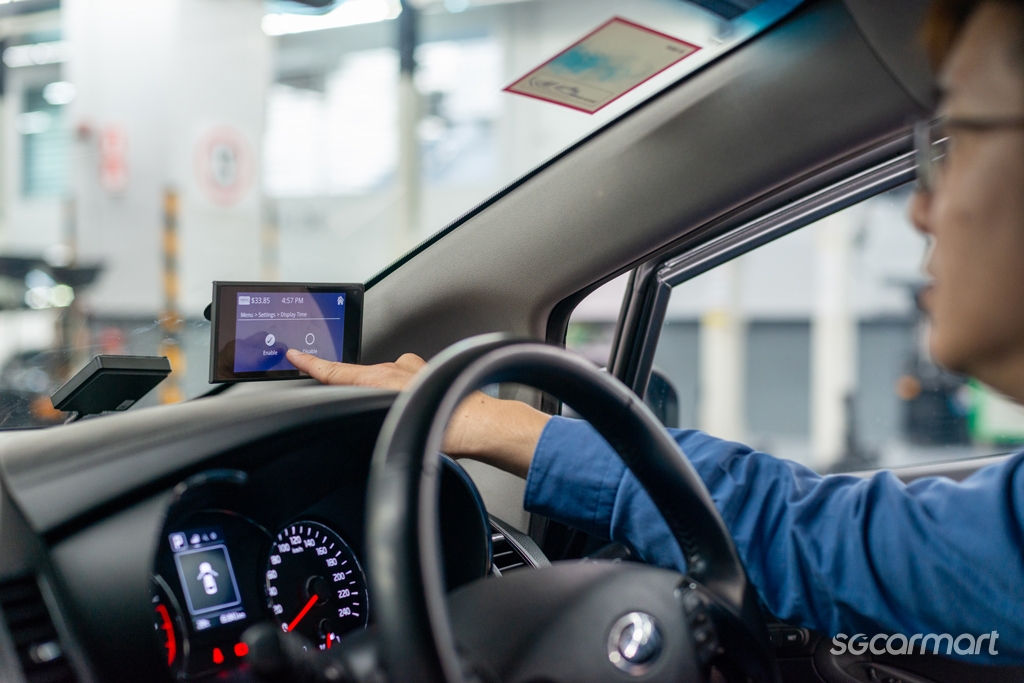
    The menu system is simple, so it's easy to tweak various preferences

    Using the system

    We found it easy to get acquainted with the OBU. In the settings menu, you can adjust the 'beep' volume and screen brightness and choose whether you wish to display the clock. Having a digital clock is handy, too, because eventually the OBU time is synchronised with the satellites for accurate charging, thus avoiding disputes.

    More importantly, there is no need to worry about your season parking or any backend payment arrangement. Your IU number will be ported over to the OBU, so you won't have to re-apply or transfer any season parking or even update the backend payments you currently have.

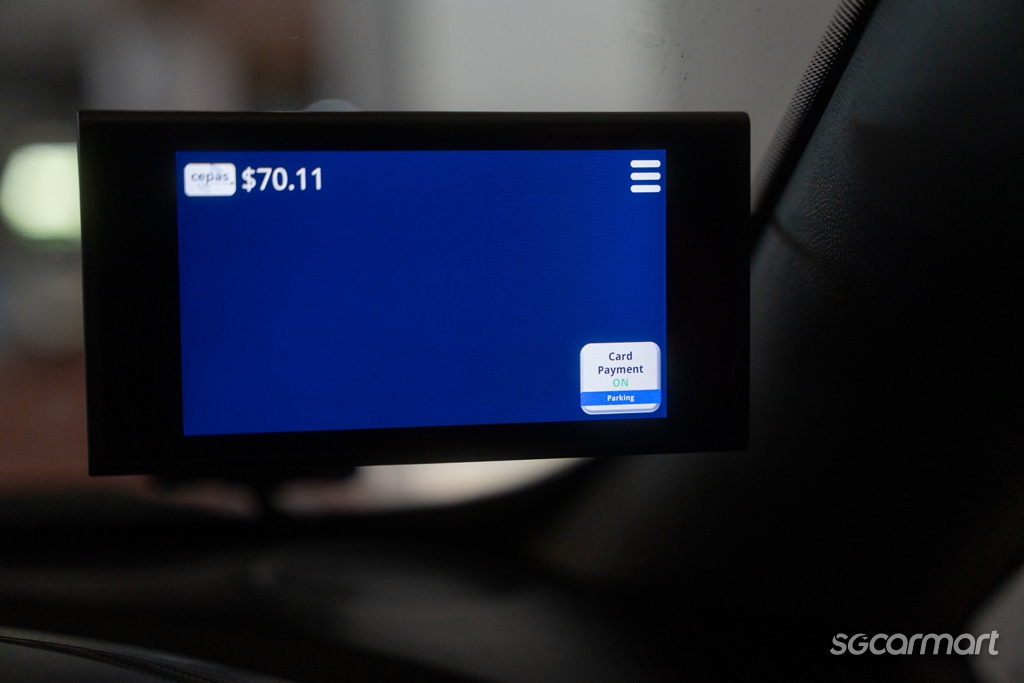
    On the go, the OBU works just like the IU when it comes to deducting ERP and parking charges. The display helps inform drivers about the ERP charging info, especially in the absence of large physical gantries in the future. Handily, the large screen also makes it easier to view how much you've been charged and your card balance.
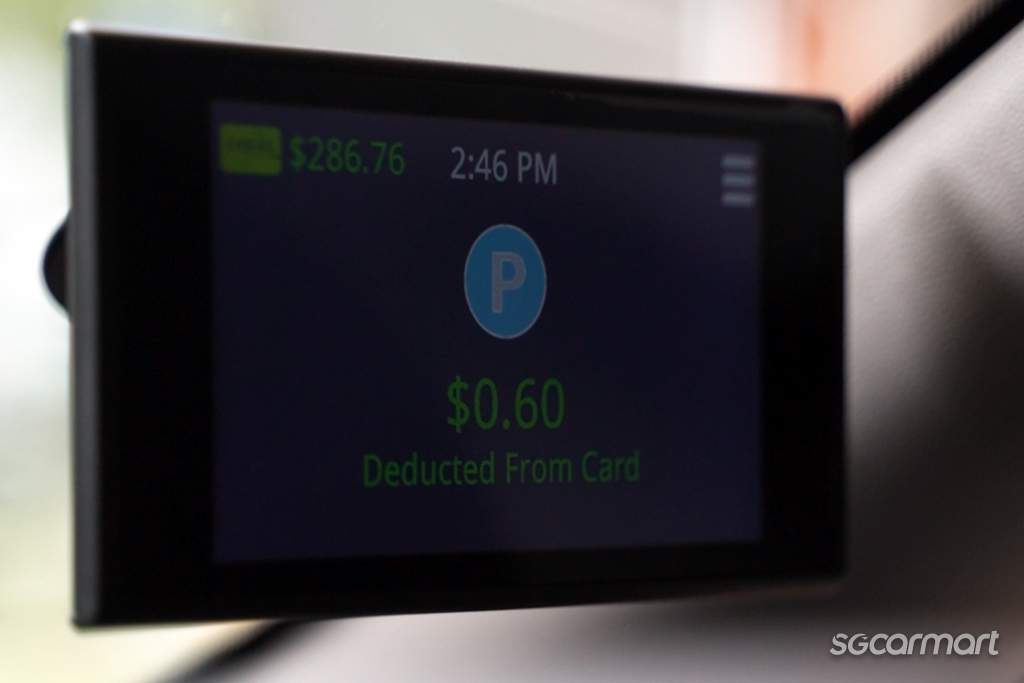
    However, bear in mind that for those carpark gantries that require drivers to tap or insert the CEPAS card, you must still do this even with the OBU. Fortunately, each car owner who installs the OBU will receive a free NETS motoring card that you can keep handy.

    Now, what if you've signed up for auto-top up feature so that you don't have to keep topping up the CEPAS card, but need to use a complimentary parking coupon?
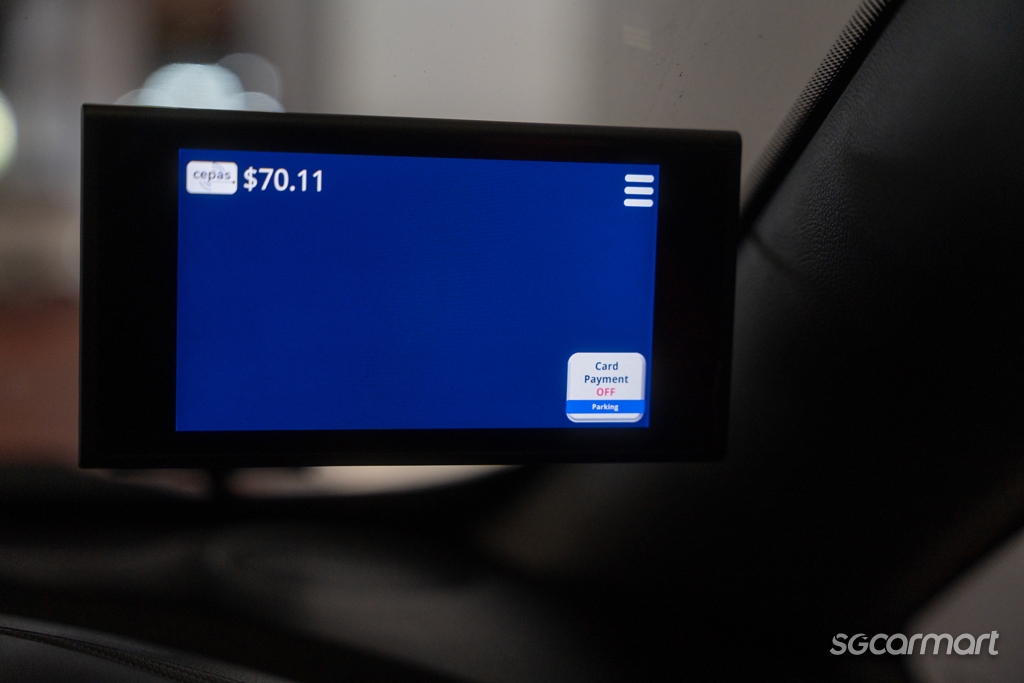
    The OBU touchscreen has a button marked 'Card Payment', which can be pressed to temporarily disable card deduction for complimentary button. It is on by default, so tapping it turns off this function and lets you use coupons.

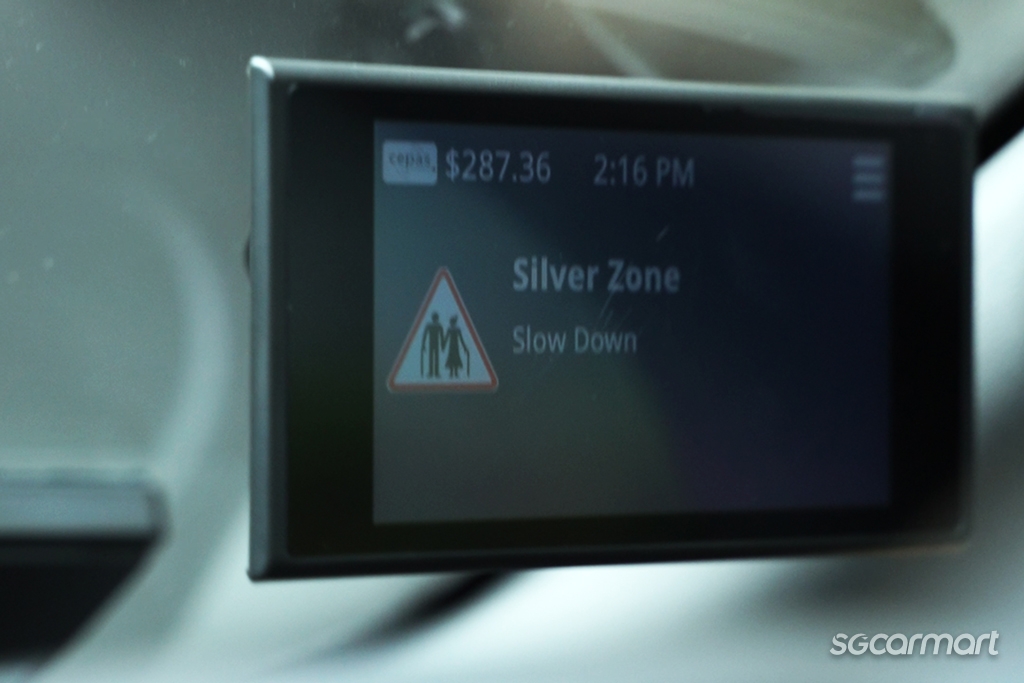
    There are other new advantages as well. Apart from the aforementioned REP to be rolled out later, the OBU also reminds you to drive carefully when you're in School Zones and Silver Zones, and to avoid driving in the bus lanes. It'll also tell you when you're approaching a fixed speed camera, thereby helping you avoid fines.
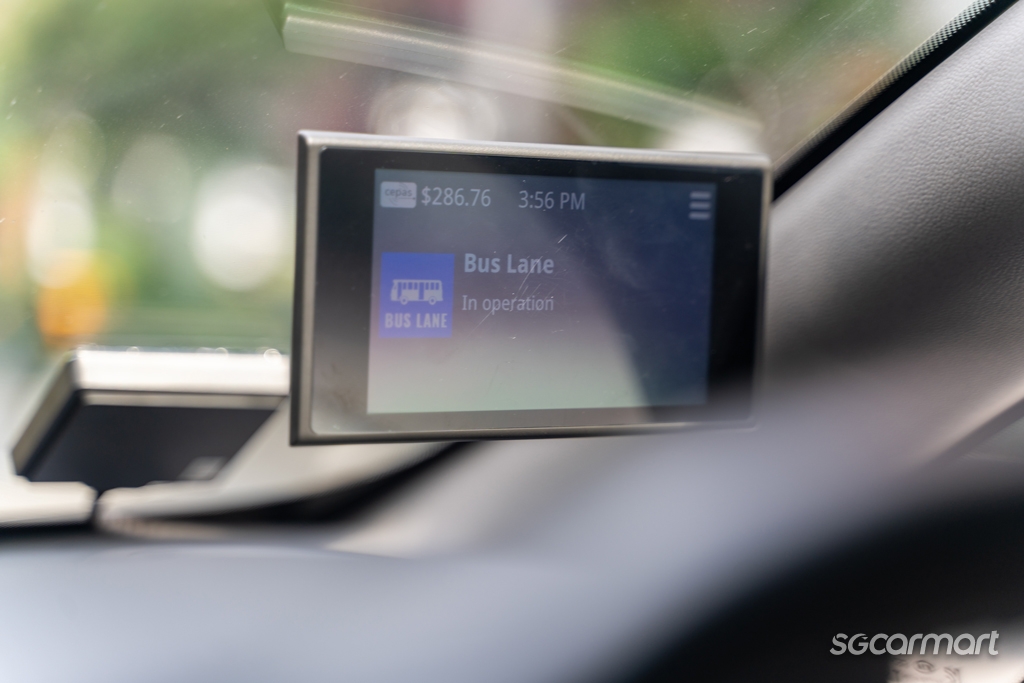
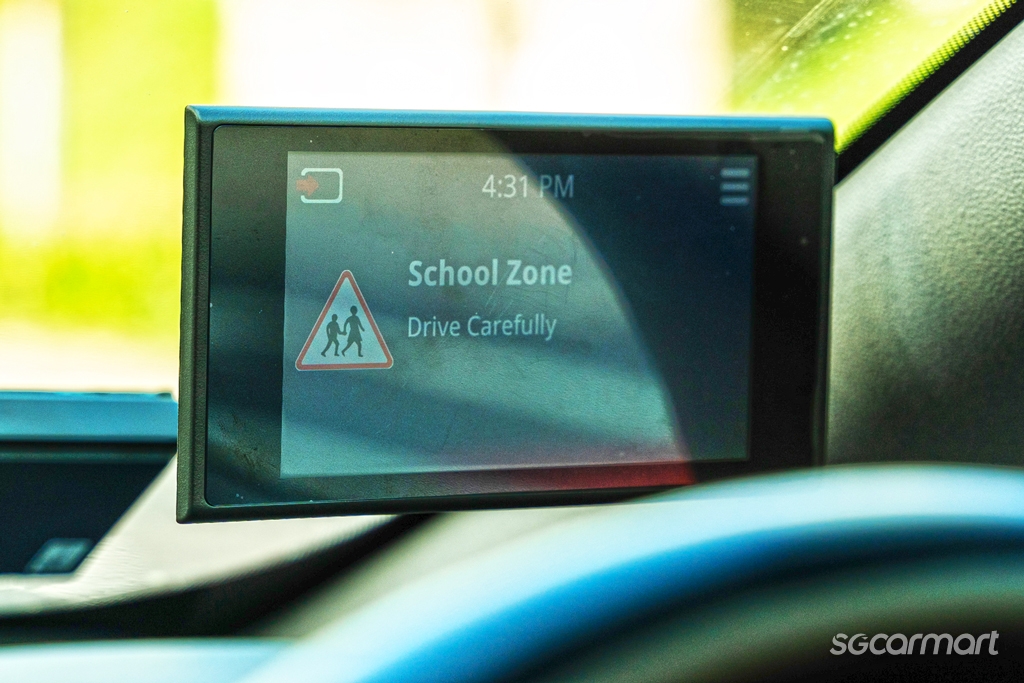
    The OBU's handy reminders, especially the ones for the bus lane, can help you avoid fines

    More functions in the pipeline

    The OBU is designed to be "upgradeable", so LTA can add features as needed. When these features are ready, they are automatically pushed out over-the-air to the OBUs. There is no need to bring the vehicles back to the workshops for upgrades.

    The 'Card Payment' button for instance, was seamlessly added without us having to do anything. We didn't have to configure any Internet or WiFi access or login to Singpass.

    LTA will also introduce real-time traffic incident updates, so that drivers can be warned of congestion or accidents. The OBU will also eventually be able to alert drivers if they are approaching an ERP charging location and allow drivers of Singapore-registered vehicles to seamlessly pay for tolls at the Woodlands and Tuas checkpoints.
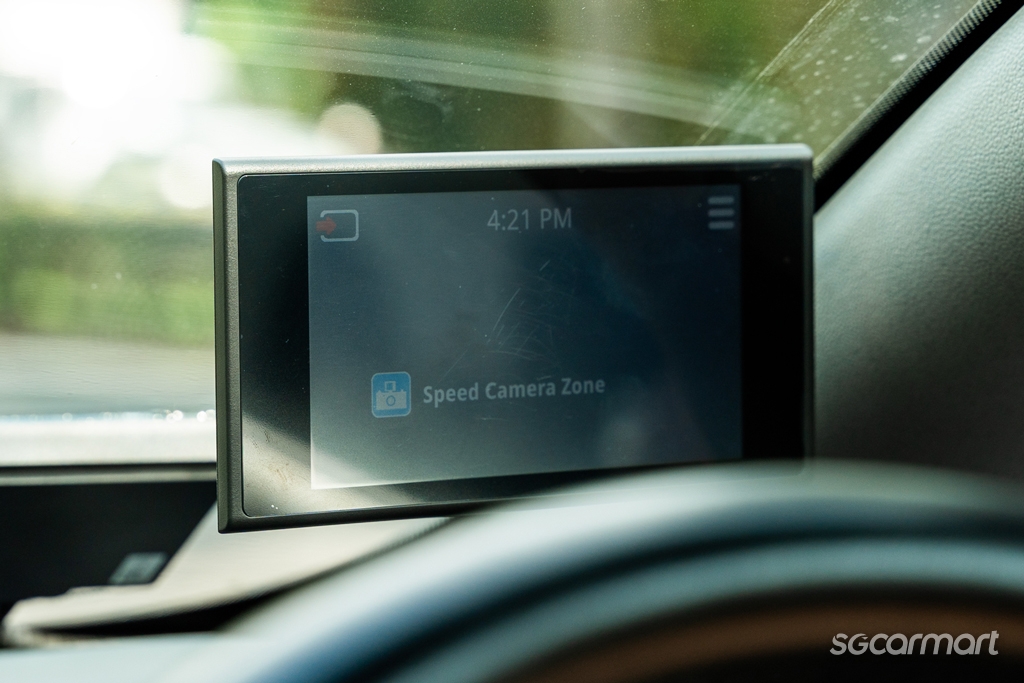
    LTA is also working with the Traffic Police to expand the safety notifications to include more speed camera zones to remind drivers to keep within the speed limits at these locations. Advance notices of road closures are even provided - they will appear when the car is driven near the location so the driver can plan ahead.

    The OBU installation was relatively painless, and the user experience has been seamless thus far so we can confidently say that there is no cause for worry or anxiety in switching to the OBU. With more features in the pipeline, the OBU will help make driving in Singapore only become more convenient in time.

    Jeremy Chua
    Story by Jeremy Chua
    Jeremy loves fast cars, the sweet smell of petrol and the burbling, erotic noises from a V8.
    24.4k

    Tags

    new car buying and owning guide feature features lta obu on-board unit land transport authority driving in singapore driving in-car unit iu erp erp 2.0 electronic road pricing

    AllReviewsNewsAdviceFeaturesVideos
    • Home
    • Car Articles
    • features
    • features Listings
    • Features

    On-board with the new OBU

    24 May 2024

    |

    40,213 views

    We tell you what to expect about the new On-Board Unit (OBU) and share a few handy tips, too!

    The ERP 2.0 is based on Global Navigation Satellite System (GNSS) technology, which allows Land Transport Authority (LTA) to manage congestion without the need for physical gantries. It also provides the option to implement distance-based charging in the future.

    With this move, it will require drivers to change from the previous In-Vehicle Unit (IU) to the new On-Board Unit (OBU).

    However, after spending the past month with the new OBU, we learned that there's nothing to worry about and in fact, there's plenty to look forward to. Here's what you can expect from the new system.

    The OBU starts up with a greeting screen, and you can choose whether or not to display the clock

    Making the appointment

    Car owners will progressively be notified by LTA via mail, email and/or SMS, on their turn to have the new OBU installed in their vehicles. You'll have a two-month window for this, during which the installation fees are waived.

    The time it takes to install the OBU depends on several factors, but mainly, it'll depend on your vehicle's make and model. In our experience, it took just under two hours on a weekday afternoon for Cycle & Carriage to fit the OBU to a Kia Cerato.

    It's best to arrive on time, so that the installer will have enough time to do a proper job and take you through the system once it's done.

    The antenna will typically be positioned where the IU unit is normally located

    Decisions and positions

    The new OBU consists of three components: An optional touchscreen display, a processing unit and an antenna.

    If you've opted to install the touchscreen, you'll be asked where you'd like it positioned. There is some room for flexibility here, but the placement is limited by the length of the cable.

    Get behind the wheel and adjust the seat to your preferred driving position. From here, you can tell the installer where you want the screen to be placed. Our advice is to put the screen on your right so that it sits just above the dashboard, making it easy to see/read.

    On the other hand, if you choose not to have the touchscreen, you'll need to register your smartphone on Onemotoring Digital Services and pair it to the OBU using Bluetooth. There are currently four apps you can choose from to use as an alternative to the touchscreen display.

    Tapping on 'My OBU' lets you view your OBU number, which is identical to your previous IU number

    In addition to ERP information such as road pricing alerts and your CEPAS card balance, these apps also offer features such as navigation and real-time traffic information. However, do note that due to security concerns, these apps cannot provide the full functionality of the touchscreen display.

    The touchscreen is also where you can adjust the system's feedback volume as needed. Without it, you'll be asked to set your preferred volume at the point of installation. You will need to bring your vehicle back to the workshop if you want to adjust the volume again.

    The processing unit is usually placed on the passenger side, but depending on your car's make and model, it can be located elsewhere, too

    Remember, if you do decide to install the touchscreen later, you'll need to pay a fee, too, so weigh your options carefully.

    Meanwhile, the processing unit is typically placed by the centre console on the front passenger's side. There is some flexibility in its placement, but again, this depends on what is feasible for your vehicle.

    The location of the antenna is quite straightforward, usually at the bottom right of the windscreen.

    The menu system is simple, so it's easy to tweak various preferences

    Using the system

    We found it easy to get acquainted with the OBU. In the settings menu, you can adjust the 'beep' volume and screen brightness and choose whether you wish to display the clock. Having a digital clock is handy, too, because eventually the OBU time is synchronised with the satellites for accurate charging, thus avoiding disputes.

    More importantly, there is no need to worry about your season parking or any backend payment arrangement. Your IU number will be ported over to the OBU, so you won't have to re-apply or transfer any season parking or even update the backend payments you currently have.

    On the go, the OBU works just like the IU when it comes to deducting ERP and parking charges. The display helps inform drivers about the ERP charging info, especially in the absence of large physical gantries in the future. Handily, the large screen also makes it easier to view how much you've been charged and your card balance.

    However, bear in mind that for those carpark gantries that require drivers to tap or insert the CEPAS card, you must still do this even with the OBU. Fortunately, each car owner who installs the OBU will receive a free NETS motoring card that you can keep handy.

    Now, what if you've signed up for auto-top up feature so that you don't have to keep topping up the CEPAS card, but need to use a complimentary parking coupon?

    The OBU touchscreen has a button marked 'Card Payment', which can be pressed to temporarily disable card deduction for complimentary button. It is on by default, so tapping it turns off this function and lets you use coupons.

    There are other new advantages as well. Apart from the aforementioned REP to be rolled out later, the OBU also reminds you to drive carefully when you're in School Zones and Silver Zones, and to avoid driving in the bus lanes. It'll also tell you when you're approaching a fixed speed camera, thereby helping you avoid fines.

    The OBU's handy reminders, especially the ones for the bus lane, can help you avoid fines

    More functions in the pipeline

    The OBU is designed to be "upgradeable", so LTA can add features as needed. When these features are ready, they are automatically pushed out over-the-air to the OBUs. There is no need to bring the vehicles back to the workshops for upgrades.

    The 'Card Payment' button for instance, was seamlessly added without us having to do anything. We didn't have to configure any Internet or WiFi access or login to Singpass.

    LTA will also introduce real-time traffic incident updates, so that drivers can be warned of congestion or accidents. The OBU will also eventually be able to alert drivers if they are approaching an ERP charging location and allow drivers of Singapore-registered vehicles to seamlessly pay for tolls at the Woodlands and Tuas checkpoints.
    LTA is also working with the Traffic Police to expand the safety notifications to include more speed camera zones to remind drivers to keep within the speed limits at these locations. Advance notices of road closures are even provided - they will appear when the car is driven near the location so the driver can plan ahead.

    The OBU installation was relatively painless, and the user experience has been seamless thus far so we can confidently say that there is no cause for worry or anxiety in switching to the OBU. With more features in the pipeline, the OBU will help make driving in Singapore only become more convenient in time.


    Jeremy Chua
    Story by Jeremy Chua
    Jeremy loves fast cars, the sweet smell of petrol and the burbling, erotic noises from a V8.
    24.4k

    Tags

    new car buying and owning guide feature features lta obu on-board unit land transport authority driving in singapore driving in-car unit iu erp erp 2.0 electronic road pricing

    Newsletter

    Be Notified On The Latest News

    Newsletter

    Be Notified On The Latest News

    roadside electronic parking
    rep
    processing unit
    antenna
    touchscreen
    satellite-based erp
    distance-based charging
    roadside electronic parking
    rep
    processing unit
    antenna
    touchscreen
    satellite-based erp
    distance-based charging

    Related Articles

    Dongfeng Vigo Essential Review

    Dongfeng Vigo Essential Review

    The BYD Atto 3 Evo can now be test-driven in Singapore!

    The BYD Atto 3 Evo can now be test-driven in Singapore!

    LTA sets up poll to decide the least-ugliest EV plate

    LTA sets up poll to decide the least-ugliest EV plate

    A first look at Chery's iCaur V23 and Jaecoo J8 in Singapore

    A first look at Chery's iCaur V23 and Jaecoo J8 in Singapore

    Mercedes-Benz's electric CLA Shooting Brake is here in SG!

    Mercedes-Benz's electric CLA Shooting Brake is here in SG!

    MG 4 Urban Review

    MG 4 Urban Review

    Multi-Pathway approach: Toyota was always right

    Multi-Pathway approach: Toyota was always right

    Must-Have Car Accessories Every EV Driver Should Own

    Must-Have Car Accessories Every EV Driver Should Own

    Related Articles

    Dongfeng Vigo Essential Review

    Dongfeng Vigo Essential Review

    The BYD Atto 3 Evo can now be test-driven in Singapore!

    The BYD Atto 3 Evo can now be test-driven in Singapore!

    LTA sets up poll to decide the least-ugliest EV plate

    LTA sets up poll to decide the least-ugliest EV plate

    A first look at Chery's iCaur V23 and Jaecoo J8 in Singapore

    A first look at Chery's iCaur V23 and Jaecoo J8 in Singapore

    Mercedes-Benz's electric CLA Shooting Brake is here in SG!

    Mercedes-Benz's electric CLA Shooting Brake is here in SG!

    MG 4 Urban Review

    MG 4 Urban Review

    Multi-Pathway approach: Toyota was always right

    Multi-Pathway approach: Toyota was always right

    Must-Have Car Accessories Every EV Driver Should Own

    Must-Have Car Accessories Every EV Driver Should Own

    You May Also Like

    LTA sets up poll to decide the least-ugliest EV plate

    LTA sets up poll to decide the least-ugliest EV plate

    New cars are safer: Opt for one when you can

    New cars are safer: Opt for one when you can

    EV NEXT: Peace of mind with battery SOH certification

    EV NEXT: Peace of mind with battery SOH certification

    Sgcarmart Explores: Bras Basah!

    Sgcarmart Explores: Bras Basah!

    Multi-Pathway approach: Toyota was always right

    Multi-Pathway approach: Toyota was always right

    Don't get yourself trapped in your high-tech EV

    Don't get yourself trapped in your high-tech EV

    Big Test: Which brand makes the best hybrid?

    Big Test: Which brand makes the best hybrid?

    Is parallel import hesitancy growing among car buyers?

    Is parallel import hesitancy growing among car buyers?

    Inside Foton's commercial vehicle range in Singapore

    Inside Foton's commercial vehicle range in Singapore

    The rise of PHEVs: A closer look at the numbers

    The rise of PHEVs: A closer look at the numbers

    Cars of 2026

    Cars of 2026

    iCaur V23 100kW Review

    iCaur V23 100kW Review

    The all new XPENG Mona L03 is one smart coupe SUV

    The all new XPENG Mona L03 is one smart coupe SUV

    Opinion: Why do we even need green number plates?

    Opinion: Why do we even need green number plates?

    Hongqi Singapore opens its showroom doors

    Hongqi Singapore opens its showroom doors

    A first look at Chery's iCaur V23 and Jaecoo J8 in Singapore

    A first look at Chery's iCaur V23 and Jaecoo J8 in Singapore

    You May Also Like

    LTA sets up poll to decide the least-ugliest EV plate

    LTA sets up poll to decide the least-ugliest EV plate

    New cars are safer: Opt for one when you can

    New cars are safer: Opt for one when you can

    EV NEXT: Peace of mind with battery SOH certification

    EV NEXT: Peace of mind with battery SOH certification

    Sgcarmart Explores: Bras Basah!

    Sgcarmart Explores: Bras Basah!

    Multi-Pathway approach: Toyota was always right

    Multi-Pathway approach: Toyota was always right

    Don't get yourself trapped in your high-tech EV

    Don't get yourself trapped in your high-tech EV

    Big Test: Which brand makes the best hybrid?

    Big Test: Which brand makes the best hybrid?

    Is parallel import hesitancy growing among car buyers?

    Is parallel import hesitancy growing among car buyers?

    Inside Foton's commercial vehicle range in Singapore

    Inside Foton's commercial vehicle range in Singapore

    The rise of PHEVs: A closer look at the numbers

    The rise of PHEVs: A closer look at the numbers

    Cars of 2026

    Cars of 2026

    iCaur V23 100kW Review

    iCaur V23 100kW Review

    The all new XPENG Mona L03 is one smart coupe SUV

    The all new XPENG Mona L03 is one smart coupe SUV

    Opinion: Why do we even need green number plates?

    Opinion: Why do we even need green number plates?

    Hongqi Singapore opens its showroom doors

    Hongqi Singapore opens its showroom doors

    A first look at Chery's iCaur V23 and Jaecoo J8 in Singapore

    A first look at Chery's iCaur V23 and Jaecoo J8 in Singapore